
Sales Automation
rules run.

 Your team sells.


Automate lead assignment, reminders, status changes, and follow-up — so opportunities move without manual chasing in spreadsheets or inboxes.

Auto-rotate → assigned to Alex Morgan Assignment Rule
Every lead lands
 with the right rep.

In Frappe CRM, Assignment Rules route new Leads and Deals by conditions you define — auto-rotate (round robin) or assign by workload. Schedule rules by weekday; unassign when status changes.
 Fair distribution No favouritism — the next available agent gets the next matching record.
 Condition builder Route by territory, source, value, or any field — high-value deals to senior reps.


Business Benefit: Ad leads and web forms reach a named owner in seconds — managers stop playing traffic controller.

To: assigned sales owner
Reminder to call customer
Manager escalation
Reminders that
never slip.


ERPNext Notifications watch Leads, Deals, Tasks, and Orders. Trigger on save, value change, or days before/after a date — email, Slack, SMS, WhatsApp, or in-app alerts with Jinja templates.
 Follow-up on autopilot Example: email when
doc.status == "Interested"on a Lead. One-off “Remind Me” Reps set a personal reminder on any record — “call this lead in 4 hours”.

Business Benefit: Stalled deals surface before the quarter ends — not when someone asks “what happened to that quote?”


Logic says: automation only works if leads arrive in CRM first. Pair rules with Lead Sync — Facebook Lead Ads land in your pipeline, then Assignment Rules pick them up instantly.
Feed the funnel, then automate it
 Explore Lead Sync
Status changes
 with approval.

Workflows on Quotations, Sales Orders, and other documents define states and transitions — e.g. sales creates a quote in Draft, manager Approves or Rejects, only then it goes to the customer.
Business Benefit: Discount and margin policies are enforced in software — not in hallway conversations after the fact.

Campaign: Product intro
Sent to jane@northline.co.uk
Scheduled
Scheduled
Follow-up sequences
on schedule.


Email Campaigns send a coordinated series to Leads or Contacts from a Campaign schedule — personalised with doc.first_name and other fields. Unsubscribe links keep you compliant.
 Nurture at scale Introduce your product over days — not one blast everyone forgets.
 Linked communications Every sent email appears on the campaign — full audit trail in CRM.

Business Benefit: Reps focus on calls and demos while marketing sequences warm the pipeline in the background.
See every status change
 in the timeline.

Milestone Tracker records each stage change on Leads and other documents — e.g. New → Contacted → Qualified. Dashboards show trends; Energy Point rules can reward reps when milestones are hit.
Leads qualified · last 30 days
Business Benefit: Owners see where the funnel leaks — “we have plenty of leads” vs “how many actually qualified this month”.
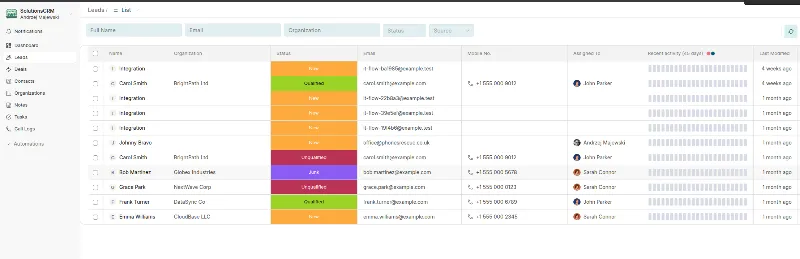
Capture, assign, nurture —
one Frappe platform.
Sales Automation sits on CRM and ERPNext — alongside lead capture, selling, and reporting.


Logic says: automation only works if leads arrive in CRM first. Pair rules with Lead Sync — Facebook Lead Ads land in your pipeline, then Assignment Rules pick them up instantly.
Feed the funnel, then automate it
Explore Lead Sync